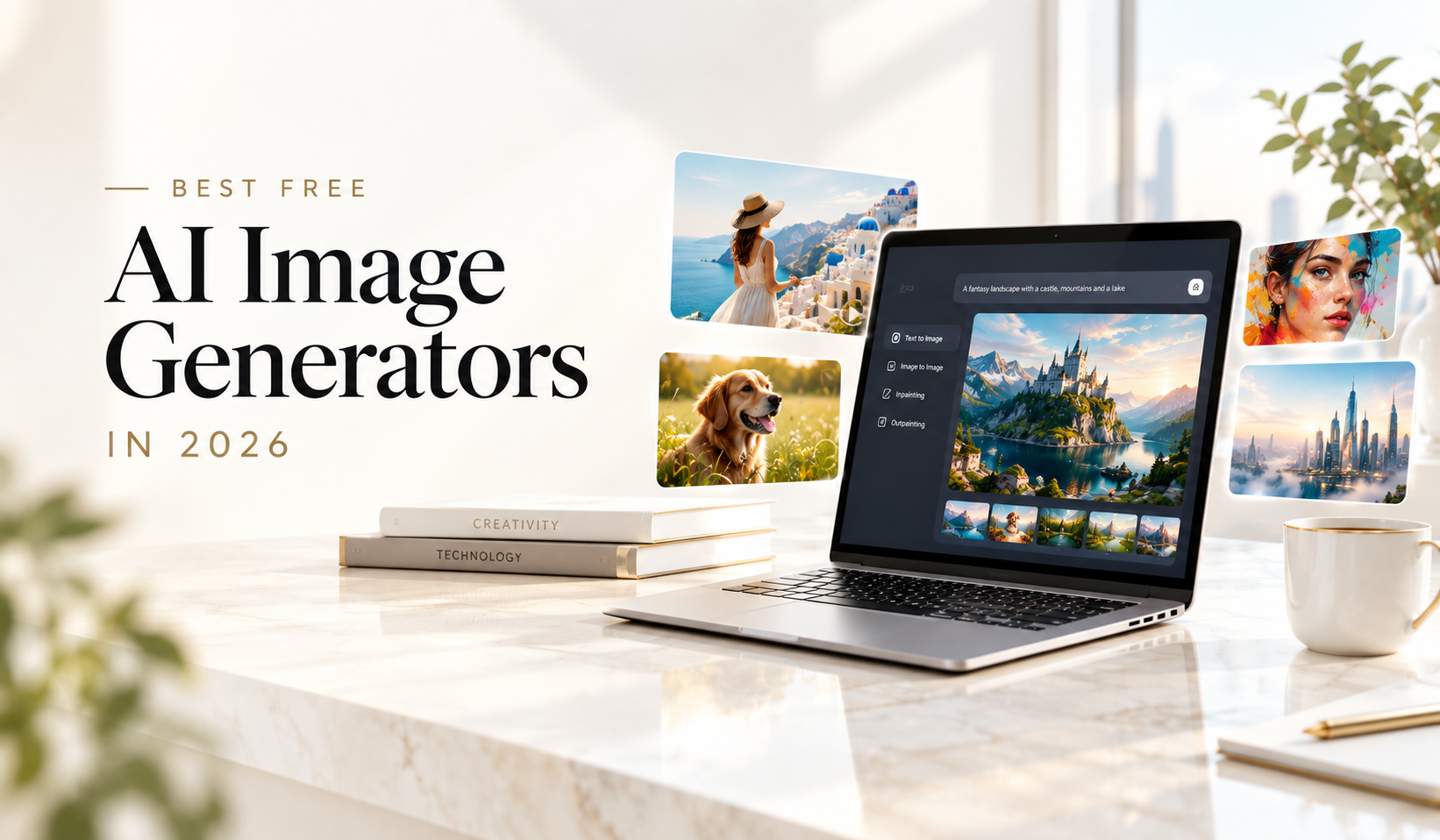
Best Free AI Image Generators in 2026: Quick Answer
If you want the best free AI image generator in 2026, there is no single winner for every type of user.
Google Gemini is one of the strongest choices for general-purpose image generation and conversational editing. Leonardo AI is excellent for creators who want generous daily usage and multiple models. Ideogram stands out when accurate text inside images matters. Recraft is particularly useful for designers who need vectors, logos, mockups, and brand assets. Microsoft Designer is a convenient option for social graphics and quick visual content, while Adobe Firefly is attractive to creators already working inside Adobe’s ecosystem.
For users who want maximum control, Stable Diffusion remains important because its open model ecosystem can be self-hosted and customized.
We compared eight leading options based on image quality, prompt adherence, free usage, editing capabilities, ease of use, creative control, and commercial-use considerations.
The 8 best free AI image generators in 2026
| AI Image Generator | Best For | Free Access | Biggest Strength |
|---|---|---|---|
| Google Gemini | Overall use | Yes | Quality + conversational editing |
| ChatGPT Images | Beginners & editing | Yes | Natural-language creation and edits |
| Leonardo AI | Frequent creators | Yes | Daily token allowance + model choice |
| Ideogram | Text in images | Yes | Typography and graphic design |
| Microsoft Designer | Social content | Yes | Fast designs and templates |
| Adobe Firefly | Creative professionals | Yes | Adobe workflow integration |
| Recraft | Designers & branding | Yes | Vectors, mockups and design control |
| Stable Diffusion | Advanced users | Open/self-hosted | Customization and control |
Important: Free AI tools rarely mean unlimited AI generation. Free allowances, models, privacy settings, commercial rights, and usage limits can change frequently, so check the provider’s current terms before using an output commercially.
What Is an AI Image Generator?
An AI image generator is a tool that uses generative AI models to create images from text prompts, reference images, or a combination of inputs.
Instead of manually drawing or photographing an image, you can describe what you want:
“A cinematic photograph of a futuristic Indian city at sunset, with autonomous vehicles and neon-lit skyscrapers.”
The AI interprets the prompt and generates a visual matching the description.
Modern AI image generators can do much more than basic text-to-image generation. Depending on the platform, you can:
- Generate photorealistic images
- Create illustrations and artwork
- Design logos and marketing graphics
- Generate product concepts
- Edit existing photographs
- Remove or replace backgrounds
- Expand images beyond their original borders
- Create social media posts
- Generate characters and environments
- Create vector graphics
- Add or modify text inside images
- Maintain character or visual consistency
The biggest change in 2026 is that AI image generation is increasingly becoming an editing and design workflow, rather than simply a “type a prompt and get an image” tool.
How We Compared the Best Free AI Image Generators
A good AI image generator isn’t necessarily the one that produces the prettiest image in a single demonstration.
For this comparison, the more useful question is:
What can you actually do with the free version?
We considered the following factors:
1. Image quality
Does the generator produce realistic, detailed and visually coherent images?
2. Prompt adherence
Does it actually follow instructions regarding objects, composition, lighting, style and positioning?
3. Text rendering
Can it accurately generate words, labels, headlines and typography?
4. Free usage
How useful is the free allowance before you reach a limit?
5. Editing
Can you modify an existing image instead of starting from scratch?
6. Ease of use
Can a beginner create something useful without understanding complicated AI settings?
7. Creative control
Does the platform offer image references, styles, models, aspect ratios, seeds or other controls?
8. Commercial-use considerations
Can you safely use free-tier outputs for business projects? This is one area where users should always read the current terms.
1. Google Gemini — Best Free AI Image Generator Overall
Best for: General-purpose image creation, editing and beginners
Google Gemini has become one of the most compelling options for people who want to create images without learning a complicated interface.
Its biggest advantage is the conversational workflow. Instead of adjusting dozens of settings, you can describe an idea, inspect the result and then ask for changes.
Google’s current creative ecosystem also includes Nano Banana image-generation technology. Google describes its image models as capable of image generation and precise editing, including improved subject consistency and text rendering.
Why Gemini stands out
You can use natural language for tasks such as:
- Creating an image from scratch
- Changing an object’s appearance
- Modifying a background
- Creating multiple visual concepts
- Turning an idea into an infographic
- Refining an existing image
This makes Gemini particularly useful for people who aren’t professional designers.
Pros
- Easy to use
- Strong general-purpose image quality
- Conversational editing
- Useful for brainstorming visual concepts
- Good choice for beginners
Cons
- Free usage limits can change
- Some advanced features depend on account or subscription level
- Commercial-use questions should be checked against current Google terms
Best for
Bloggers, marketers, students, social media creators and everyday users.
Our verdict: ★★★★★
If you simply want to start generating images with minimal learning, Gemini is one of the first tools to try.
2. ChatGPT Images — Best for Conversational Image Editing
Best for: Beginners, creative iteration and image editing
ChatGPT Images is particularly useful when the image-generation process involves several rounds of refinement.
Instead of writing a perfect prompt from the beginning, you can start with a basic idea and progressively improve it.
For example:
- Create a product image.
- Change the background.
- Make the product larger.
- Add a softer light.
- Change the aspect ratio.
- Remove an unwanted object.
OpenAI’s current documentation says ChatGPT Images can create and edit images, accept uploaded images for modification, add text, generate transparent backgrounds and work with different aspect ratios. ChatGPT Images is available across all tiers, although usage and some capabilities vary by plan.
Why ChatGPT Images stands out
The biggest advantage isn’t simply image quality.
It’s iteration.
You can tell the AI what is wrong with the previous image in ordinary language.
Pros
- Very beginner-friendly
- Excellent conversational workflow
- Supports image editing
- Can work from uploaded images
- Useful for creative brainstorming
- Good for multiple revisions
Cons
- Free usage is limited
- Results can vary depending on the prompt
- Not a specialist design platform
Best for
Writers, marketers, bloggers and anyone who wants to create and refine visuals through conversation.
Our verdict: ★★★★★
3. Leonardo AI — Best Free AI Image Generator for Frequent Creators
Best for: AI artists, game assets, concept art and experimentation
Leonardo AI is designed more like a dedicated creative platform than a general-purpose AI assistant.
Its current free plan provides 150 Fast Tokens per day, with free-tier creations publicly accessible. Leonardo also offers access to multiple image models and creative tools.
That makes Leonardo particularly interesting for users who want to generate images regularly.
What makes Leonardo different?
Leonardo gives creators more control over the generation process.
Depending on the model and workflow, users can work with:
- Different models
- Presets
- Image guidance
- Creative styles
- Image generation
- Editing
- Upscaling
- Character and visual references
Pros
- Generous daily free allowance
- Multiple models
- Strong artistic output
- Good creative control
- Useful for concept art
- Suitable for repeated experimentation
Cons
- More complicated than basic AI chat tools
- Free generations are public
- Token usage varies by task
- Users need to understand the platform’s current rights
Best for
Digital artists, game designers, content creators and people generating lots of concepts.
Our verdict: ★★★★½
4. Ideogram — Best for Text Inside AI Images
Best for: Posters, logos, advertisements, social graphics and typography
AI-generated text used to be one of the biggest weaknesses of image generators.
Ideogram helped change that.
It remains one of the strongest choices when you need an image containing readable words.
Examples include:
- Posters
- Event graphics
- Product labels
- T-shirt designs
- Social media graphics
- Advertisements
- Book-cover concepts
- Logo concepts
Ideogram’s current free plan provides weekly slow credits, while generated images on the free tier are public. Its documentation also states that users do not have restricted rights to generated outputs, subject to its terms and applicable law.
Why Ideogram stands out
Suppose your prompt is:
“Create a minimalist coffee poster with the words ‘GOOD MORNING’ in large elegant typography.”
For this type of request, text accuracy is just as important as visual quality.
Pros
- Excellent typography
- Strong graphic design capabilities
- Useful for marketing visuals
- Free tier available
- Simple browser-based workflow
Cons
- Free generations are limited
- Free images are public
- Some advanced features require paid credits
Best for
Designers, marketers, social media managers and anyone creating text-heavy visuals.
Our verdict: ★★★★½
5. Microsoft Designer — Best for Social Media Graphics
Best for: Social posts, banners, invitations and quick marketing designs
Microsoft Designer combines AI image generation with a more traditional design workflow.
That makes it useful if you don’t simply want an image—you want a finished graphic.
You can create things such as:
- Instagram posts
- YouTube thumbnails
- Invitations
- Posters
- Banners
- Stickers
- Social media graphics
- Promotional designs
Microsoft describes Designer as an AI-powered graphic design and image-editing application that can create images, logos, banners, social posts and other visual content.
The current Designer experience uses a credit system, with free credits available and additional benefits available through Microsoft 365 subscriptions.
Pros
- Easy for beginners
- Great for social media
- Combines generation and design
- Useful templates and layouts
- Microsoft ecosystem integration
Cons
- Free credits are limited
- Less specialized than dedicated AI art platforms
- Availability and limits can vary
Best for
Small businesses, social media managers, students and marketers.
Our verdict: ★★★★½
6. Adobe Firefly — Best for Professional Creative Workflows
Best for: Designers, marketers and Adobe users
Adobe Firefly is aimed at creators who want generative AI integrated into a broader creative workflow.
It supports features such as:
- Text-to-image generation
- Generative Fill
- Generative Expand
- Generative Recolor
- Image editing
- Creative asset generation
Adobe uses a generative credit system across Firefly and other Creative Cloud products. The number of credits and the features available depend on the user’s plan. Adobe’s latest documentation was updated in August 2026.
Why Firefly is useful
For someone already working with Photoshop, Illustrator or Adobe Express, Firefly can fit naturally into the existing workflow.
Instead of generating an image somewhere else and then importing it into a design application, generative features can be part of the editing process.
Pros
- Professional creative ecosystem
- Strong editing tools
- Adobe application integration
- Useful for commercial creative workflows
- Good design-oriented features
Cons
- Free access is limited
- Credit system can be confusing
- Best workflow is often within the Adobe ecosystem
Best for
Professional designers, agencies, photographers and Adobe Creative Cloud users.
Our verdict: ★★★★½
7. Recraft — Best Free AI Image Generator for Designers
Best for: Branding, vectors, logos, product visuals and design assets
Recraft is one of the more interesting options for designers because it goes beyond raster image generation.
Its current V4 family includes raster, Pro, vector and Pro Vector models. Recraft says its vector models can create scalable vector graphics, while its image-generation tools also support mockups and design workflows.
The free plan currently provides 30 credits per day. However, there is an important catch: free-plan images are public and are not licensed for commercial use in the same way as paid-plan generations.
Why Recraft stands out
Traditional AI image generators are usually designed to make pictures.
Recraft is closer to an AI design studio.
You can use it for:
- Logos
- Icons
- Vector illustrations
- Packaging concepts
- Product mockups
- Posters
- Brand graphics
- Marketing visuals
Pros
- Daily free credits
- Strong design capabilities
- Vector generation
- Mockups
- Multiple V4 models
- Useful for branding
Cons
- Free outputs have important commercial-use restrictions
- Free images are public
- Credit usage depends on the operation
Best for
Graphic designers, brand designers and businesses experimenting with visual concepts.
Our verdict: ★★★★½
8. Stable Diffusion — Best for Maximum Control
Best for: Advanced users, developers and local AI workflows
Stable Diffusion is different from most tools on this list.
Instead of simply opening a website and typing a prompt, advanced users can download and run compatible models locally or use third-party interfaces.
That means you can gain significantly more control over:
- Models
- Workflows
- Hardware
- Image generation parameters
- Fine-tuning
- Custom models
- Privacy
- Automation
Stability AI’s Stable Diffusion 3.5 models are available under its Community License, with free commercial use for qualifying users and organizations below the stated revenue threshold.
Pros
- Highly customizable
- Open ecosystem
- Can be self-hosted
- Strong developer community
- Greater privacy potential
- Excellent for advanced workflows
Cons
- Steeper learning curve
- Hardware requirements
- Setup can be complicated
- Results depend heavily on the model and workflow
Best for
Developers, AI enthusiasts, researchers and professional users who want control over their generation environment.
Our verdict: ★★★★½
Best Free AI Image Generators Compared
| Tool | Best For | Free Model | Editing | Text | Ease of Use |
|---|---|---|---|---|---|
| Google Gemini | Overall | Yes | Excellent | Very good | Excellent |
| ChatGPT Images | Conversational creation | Yes | Excellent | Very good | Excellent |
| Leonardo AI | AI art | Yes | Excellent | Good | Very good |
| Ideogram | Text & graphics | Yes | Good | Excellent | Excellent |
| Microsoft Designer | Social content | Yes | Excellent | Very good | Excellent |
| Adobe Firefly | Professional design | Yes | Excellent | Very good | Very good |
| Recraft | Branding & vectors | Yes | Excellent | Excellent | Very good |
| Stable Diffusion | Advanced control | Open/self-hosted | Excellent | Depends on model | Moderate |
Which Free AI Image Generator Should You Choose?
The answer depends on what you are trying to create.
For the best overall experience: Google Gemini
Choose Gemini if you want a simple tool that can generate and edit images through natural conversation.
For conversational editing: ChatGPT Images
Choose ChatGPT if you want to repeatedly describe changes instead of learning a complicated design interface.
For lots of experimentation: Leonardo AI
Leonardo’s daily free token allocation makes it attractive for users who generate many variations.
For text in images: Ideogram
If your image needs a headline, product name, poster text or other typography, Ideogram should be near the top of your list.
For social media: Microsoft Designer
Designer is particularly convenient when you want a complete social graphic rather than just an AI-generated picture.
For Adobe users: Firefly
If you’re already using Photoshop, Illustrator or Adobe Express, Firefly is an obvious option to test.
For logos and vectors: Recraft
Recraft is particularly compelling for design-oriented work, especially when vector output matters.
For complete control: Stable Diffusion
Advanced users who want to run models locally and customize their workflows should explore Stable Diffusion.
How to Get Better Results From Free AI Image Generators
Even the best AI image generator can produce mediocre results if your prompt is vague.
A useful prompt usually describes five things:
Subject + environment + composition + style + lighting
Instead of:
“A beautiful city.”
Try:
“A futuristic Mumbai-inspired city at sunset, viewed from street level, with elevated metro tracks, modern glass buildings, pedestrians and electric vehicles, cinematic photography, warm golden-hour lighting, realistic architectural details, wide-angle composition.”
The second prompt gives the model much more useful information.
Use specific instructions
Mention:
- Subject
- Location
- Camera angle
- Lighting
- Mood
- Color palette
- Composition
- Image style
- Aspect ratio
- Important objects
- Things that should not appear
Generate variations
Don’t expect the first generation to be perfect.
Create several variations and then refine the strongest one.
Use reference images
When a platform supports image references, use them for:
- Character consistency
- Product appearance
- Color direction
- Composition
- Style
- Brand identity
Be careful with text
If you’re creating advertisements, posters or product graphics, choose a generator specifically known for strong typography.
This is where tools such as Ideogram and Recraft can be particularly useful.
Are Free AI-Generated Images Free to Use Commercially?
Not necessarily.
This is one of the most important questions to ask before using an AI-generated image for a business.
“Free to generate” and “free for commercial use” are not the same thing.
For example, Recraft explicitly states that images generated on its Free plan are publicly visible and not licensed for commercial use, while paid plans provide commercial rights.
Ideogram’s current documentation says it does not claim ownership of generated images and does not restrict users’ rights to their outputs, subject to its terms and applicable laws.
Leonardo’s current terms distinguish between free and paid users, with free users receiving a commercial-use license while Leonardo retains certain rights over free-tier creations.
Therefore, before using an AI image for:
- Paid advertising
- Product packaging
- Merchandise
- Stock photography
- Client work
- Book covers
- Commercial websites
- Brand identity
check the current license and terms of the specific tool and plan you used.
Frequently Asked Questions
What is the best free AI image generator in 2026?
For most beginners, Google Gemini is one of the strongest overall choices. However, the best tool depends on your goal. Ideogram is better for text-heavy graphics, Leonardo is excellent for frequent AI art generation, Recraft is strong for design and vectors, and Stable Diffusion offers the most control.
Which AI image generator is completely free?
There is an important distinction between free access and unlimited free generation. Most hosted AI image generators provide a limited number of free credits, tokens or generations. Stable Diffusion can be run locally without paying per image, but you still need suitable hardware and electricity.
Which free AI image generator creates the most realistic images?
Realism varies by model and prompt, but current tools such as Gemini’s image models, ChatGPT Images, Leonardo and Stable Diffusion-based workflows can produce highly realistic results. The best choice depends on the subject and workflow.
Which AI image generator is best for text?
Ideogram is one of the strongest choices when accurate text inside generated images is the priority. Recraft is also worth considering for design-oriented graphics.
Can AI generate images from text?
Yes. Text-to-image generation is the core functionality of most AI image generators. You describe the image using a natural-language prompt, and the model creates a visual based on the description.
Can AI image generators edit existing photos?
Yes. Many modern AI image generators can edit uploaded images, remove objects, replace backgrounds, expand the canvas, modify specific elements and apply stylistic changes.
Can I use AI-generated images commercially?
Sometimes. Commercial rights depend on the platform, model, account type and plan. Never assume that a free AI-generated image automatically has unrestricted commercial rights.
Do free AI image generators have watermarks?
Some do, some don’t. Watermark policies can also vary between models and account tiers. Always check the current free-plan conditions before choosing a tool for professional use.